
Finer filters, smarter dates, unlimited routes

Matt Devey-Carvill
Founder, Roadworks Radar
Three little improvements have been quietly shipped this week — all aimed at making Roadworks Radar fit more neatly around how you actually drive. Whether that's the school run, a ten-hour delivery day, or a 4am airport pickup, we want your dashboard to feel like it was built for your journey, not the average one.
Finer filters
Every route has its own rhythm. Some of you care mostly about live closures this morning, and the speculative stuff scheduled for next month is just noise. Others want a complete view weeks out so you can plan around it. A few of you have your eye on one particular utility company that always seems to be digging up your road and would quite like to mute everyone else. Until now, you've had to scroll past it all.
From today, there's a Filters button sitting neatly on your route dashboard — mobile and desktop — with three groups of filters that combine however you like:
- Status — live, pending, scheduled, completed, cancelled, expired. Tap the statuses you care about, everything else drops out.
- Traffic management — road closures, multi-way signals, lane restrictions, stop-and-go, and so on. Handy when you only want to see works that will actually stop you.
- Utility / authority — the company or council doing the work. Shows up whenever your route has enough of them to make filtering useful.
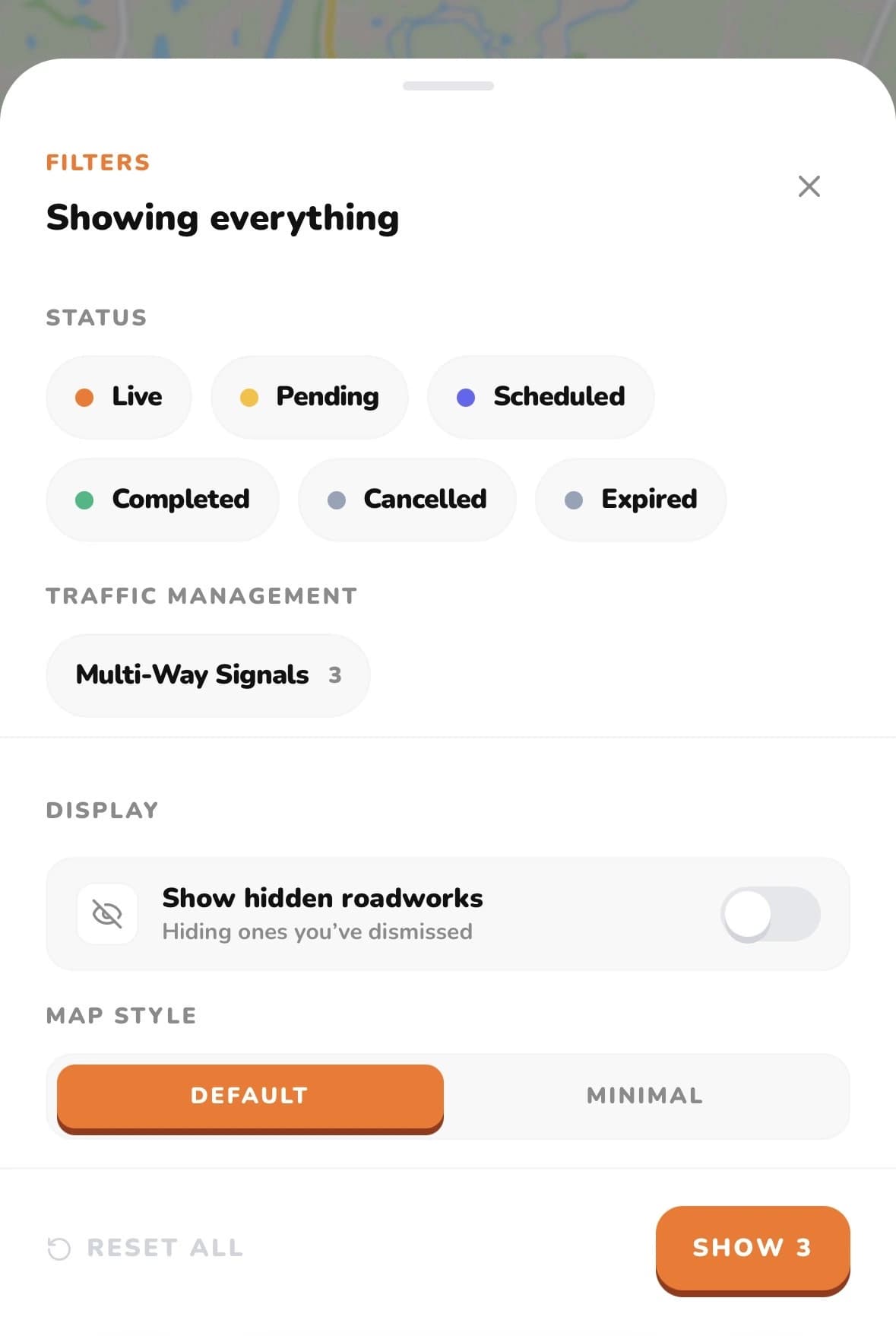
Open the Filters menu and you'll also find display controls for showing or hiding roadworks you've previously dismissed, plus a toggle between the default and minimal map styles. Small things, but they add up when you're checking a route several times a day.
Your filter choices apply instantly to both the map and the cards below it — change one and the other follows.
Smarter dates
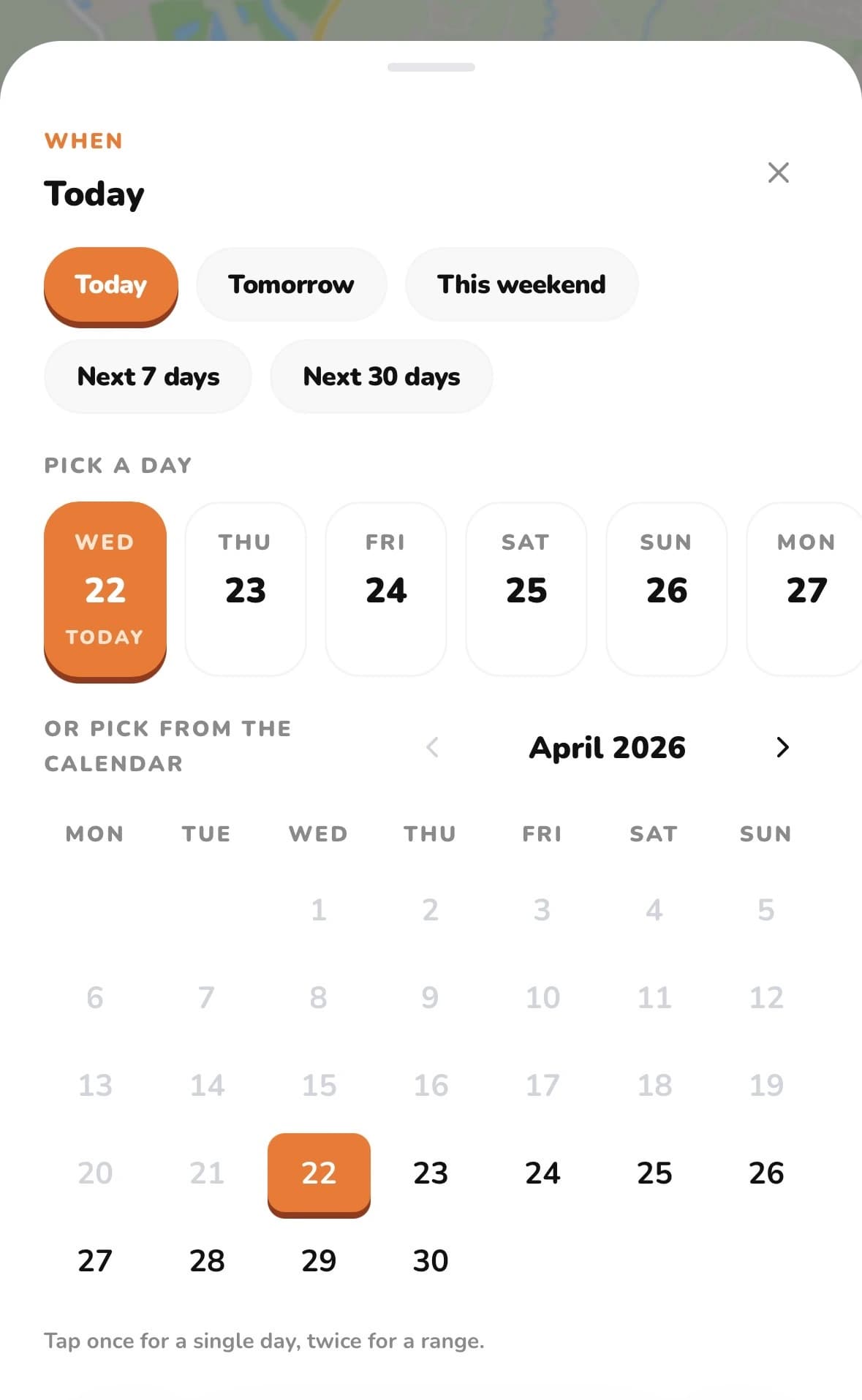
Alongside filters, the date picker on your route has grown up a bit. Until now, your options were Today, Tomorrow, Next 7 days, and Next 30 days — fine for most journeys, but not quite enough when your driving doesn't fit those four shapes. So we've rather generously extended it:
- A new “This weekend” preset — one tap and you're looking at Saturday and Sunday. For the visits, the match days, the long drives you only do on your days off.
- A scrollable day strip — the next fortnight laid out as little cards, today clearly flagged. Perfect for thumbing ahead a few days on the phone without opening a full calendar.
- A proper calendar — for when you want to pick a specific Tuesday in six weeks’ time. Tap once for a single day.
- Date ranges — tap a start date, then an end date, and everything in between lights up. “Monday to Friday next week,” “the fortnight I'm on shift,” “the two days I'm driving down to Cornwall” — pick the bookends and go.
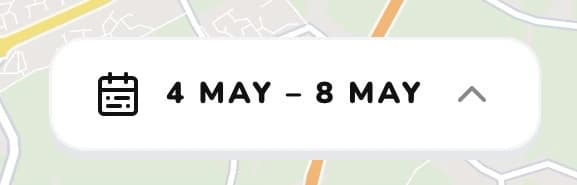
You'll also spot your current selection summarised neatly at the bottom of the map view, so you always know what date window you're looking at:
This might sound small, but it changes the service for a lot of people. The airport taxi driver on a run of overnight pickups wants to see this Friday, Saturday and Sunday — not what the M25 looks like next Wednesday. Shift workers want the specific fortnight they're on rota. Wedding photographers heading across three counties on a Saturday want that Saturday and nothing else. The new picker lets you ask those questions cleanly.
A plan for how you drive
While we were at it, we took another look at our plans. The short version: there's a sensible option now whether you drive one road twice a day or half of England for a living.
Starter is for the everyday driver. If you've got one regular route — the school run, the daily commute, the Saturday drive over to your mum's — Starter gives you clarity on that one journey. One saved route, an evening digest the night before, and instant alerts if something flares up on your road. It's the friendly option for ordinary folk who don't need the full kit — just a bit more certainty about their regular run.
Pro, at the other end, is for drivers who really live on the road. Three saved routes just isn't enough for couriers working multiple drops a day, tradespeople crisscrossing a county, small fleets keeping tabs on driver rotas, or private hire and airport taxi drivers with regular runs to every terminal going. Three routes runs out fast when the road is the job. Pro removes the cap entirely and adds priority support on top. It sits alongside our existing Standard plan — so if three's always been plenty for you, nothing changes.
Starter
1 route
For everyday drivers on one regular route.
Standard
3 routes
For regular professionals on a handful of set routes.
Pro
Unlimited
For busy professionals who can't afford delays.
If you're already on Standard and need more room, you can switch to Pro from your account screen — your trial and billing cycle come along with you.
A note on what's next
Filters and the new date picker are the groundwork for a few other things we've been itching to build: saved filter presets, per-route defaults, and digest emails that respect your filter choices instead of dumping everything on you. Those will land in the coming weeks.
As always — if there's a filter dimension we've missed, a preset that would save you time, or a driver workflow we just haven't thought about, please do drop us a line. These features are genuinely shaped by what you tell us, and we read every message.